GDLEADCRM – Browser Extension for Lead Generation
GDLEADCRM – Browser Extension for Lead Generation Original price was: $30.00.Current price is: $10.00.
Back to products

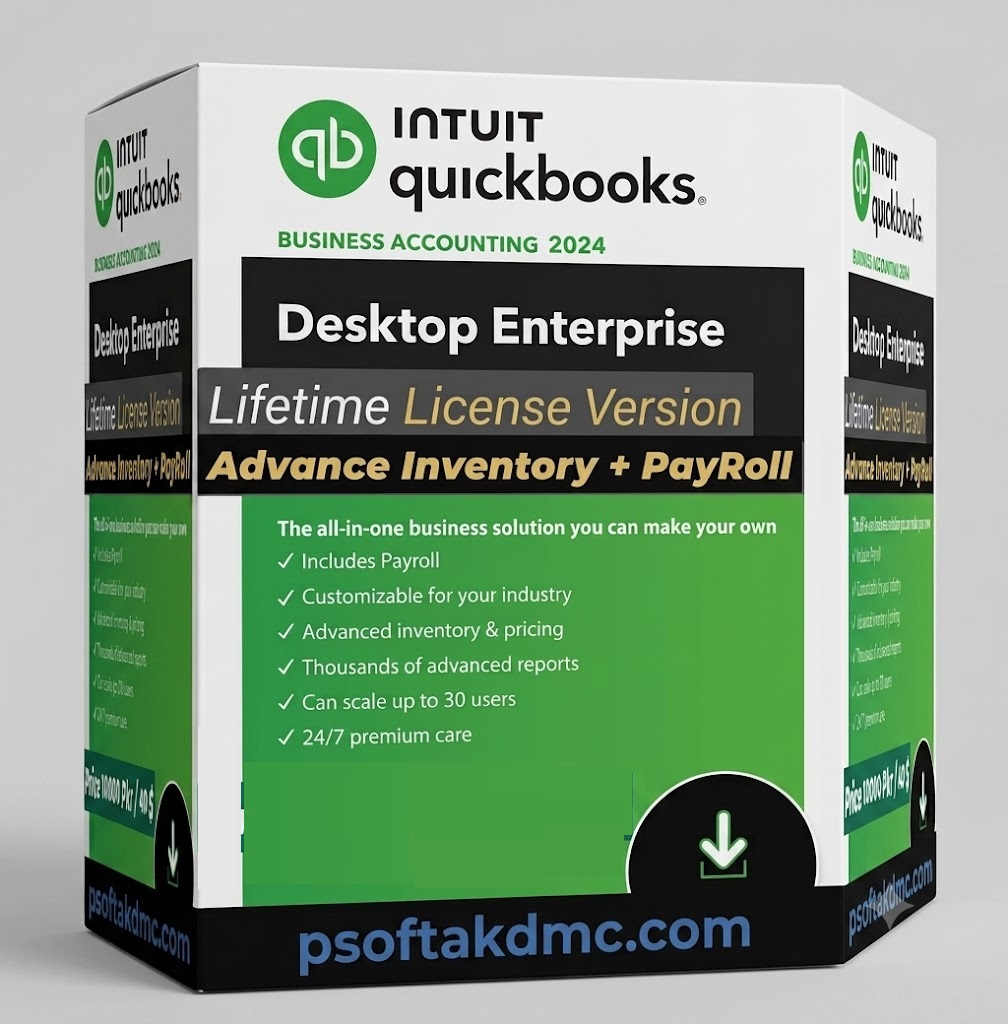
Quick Book desktop 2024

Original price was: $100.00.Current price is: $50.00.

QuickBooks Desktop Enterprise 2024 delivers powerful, automated business accounting featuring Advanced Inventory and built-in Payroll capabilities under a secure, one-time lifetime license setup. It scales seamlessly for up to 30 users with advanced role-based permissions, entirely eliminating recurring monthly retail subscription costs. Deploy it smoothly alongside your digital marketing workflows and automation setups by accessing your premium portal at psoftakdmc.com.

Category:
Description
Latest Supported Version

QuickBooks Enterprise & POS 2024

Run your accounting, payroll, point-of-sale, inventory and reporting from one rock-solid desktop platform — the last and most refined Pro/Premier release Intuit will ever ship, with full multi-user network support.

No subscriptions. No renewals.
$50one-time
Yours for life — install once, use forever
Skip the $1,800+/yr license. Get full QuickBooks Enterprise & POS 2024 for a single $50 payment — plus free hands-on support to get it installed and running on your PC, no tech headaches.

Key Features

Enhanced Security & Auto Backup

Stronger encryption and automated backup capabilities keep your company data protected and your business continuous.

Smarter Item Search & Inventory

Faster navigation with a dedicated search bar, search-within-search filtering, and more detailed inventory reporting.

Updated Payroll & Bank Feeds

Automated bank feeds for faster reconciliation, plus updated payroll tax tables for accurate 2024 compliance.

Multi-User & Network Ready

Host company files across a stable LAN with QuickBooks Database Server Manager and proper network permissions.

Integrated POS Workflow

Sync sales, inventory counts, and customer data between QuickBooks Enterprise and your point-of-sale system in real time.

Advanced Reporting

Better filtering and more detailed reports give a clearer view of cash flow, inventory and sales performance.

System Requirements

ComponentWindowsMac
Operating SystemWindows 11 (64-bit) / Server 2016–2022macOS Monterey 12.0+
Processor2.4 GHz, Intel/AMD x86Intel or Apple CPU
RAM8 GB min, 16 GB recommended2 GB min, 4 GB recommended
Disk Space2.5 GB + company data250 MB minimum
Display1280×1024 or higher
InternetRequired for online servicesRequired

What's Included

  • QuickBooks Desktop Enterprise 2024 installer (Pro/Premier/Enterprise editions)
  • QuickBooks POS integration setup guide
  • License & product key for activation
  • Lifetime access — pay once, use forever
  • Free customer support for installation
  • Step-by-step setup & configuration guide
  • Multi-user network configuration support
  • Instant delivery after purchase
QuickBooks Desktop 2024 is the final Pro/Premier release from Intuit, with official support continuing through September 30, 2027. QuickBooks Enterprise remains available beyond that date for businesses needing ongoing desktop upgrades.

Frequently Asked Questions

What is QuickBooks Desktop?

QuickBooks Desktop is Intuit's locally-installed accounting software for managing invoicing, bookkeeping, payroll, inventory, and reporting directly from your PC or Mac, without relying on a browser-based subscription.

Can I still get a desktop version of QuickBooks?

Yes. QuickBooks Desktop 2024 is the latest and final Pro/Premier release, with official support running through September 30, 2027. QuickBooks Enterprise also remains available beyond that.

Can I download QuickBooks Desktop for free?

QuickBooks Desktop requires a paid license to activate and use. We provide the full installer plus an activation license for a one-time $50 fee, with free installation support included.

How do I install QuickBooks Desktop?

Download the installer, run it as administrator, choose Express or Custom install, then activate using your license and product number. We also walk you through the full setup over WhatsApp if needed.

Is there a QuickBooks Desktop login or app version?

QuickBooks Desktop runs locally rather than through a web login. A companion mobile app is available for limited on-the-go tasks, but full functionality lives in the installed desktop application.

What's new in QuickBooks Desktop 2024?

QuickBooks Desktop 2024 adds enhanced security and automated backups, faster smarter inventory/item search, and updated payroll & bank-feed automation for 2024 tax compliance.

What's the difference between QuickBooks Desktop Pro and Enterprise?

Pro suits small businesses with basic accounting needs, while Enterprise adds advanced inventory, pricing, multi-company management, and support for far larger user counts and data volumes.

Reviews (0)

Reviews

There are no reviews yet.

Be the first to review “Quick Book desktop 2024”

Your email address will not be published. Required fields are marked *

Shipping and Delivery

MAECENAS IACULIS

Vestibulum curae torquent diam diam commodo parturient penatibus nunc dui adipiscing convallis bulum parturient suspendisse parturient a.Parturient in parturient scelerisque nibh lectus quam a natoque adipiscing a vestibulum hendrerit et pharetra fames nunc natoque dui.

ADIPISCING CONVALLIS BULUM

  • Vestibulum penatibus nunc dui adipiscing convallis bulum parturient suspendisse.
  • Abitur parturient praesent lectus quam a natoque adipiscing a vestibulum hendre.
  • Diam parturient dictumst parturient scelerisque nibh lectus.

Scelerisque adipiscing bibendum sem vestibulum et in a a a purus lectus faucibus lobortis tincidunt purus lectus nisl class eros.Condimentum a et ullamcorper dictumst mus et tristique elementum nam inceptos hac parturient scelerisque vestibulum amet elit ut volutpat.