Finding new customers is often the hardest part of growing a business.
Ask any sales professional, freelancer, or marketing agency what slows them down the most, and many will give the same answer: finding the right prospects.
The problem is not that businesses are difficult to find. They are everywhere.
A simple Google Maps search can show thousands of companies in almost any industry — restaurants, clinics, real estate companies, software agencies, repair services, hotels, consultants and many more.
The real challenge?
Turning those scattered listings into organised, useful lead data.
Copying business names one by one. Opening websites. Searching for phone numbers. Saving addresses into spreadsheets. Repeating the same process hundreds of times.
It feels simple at first.
Then after a few hours, it becomes exhausting.
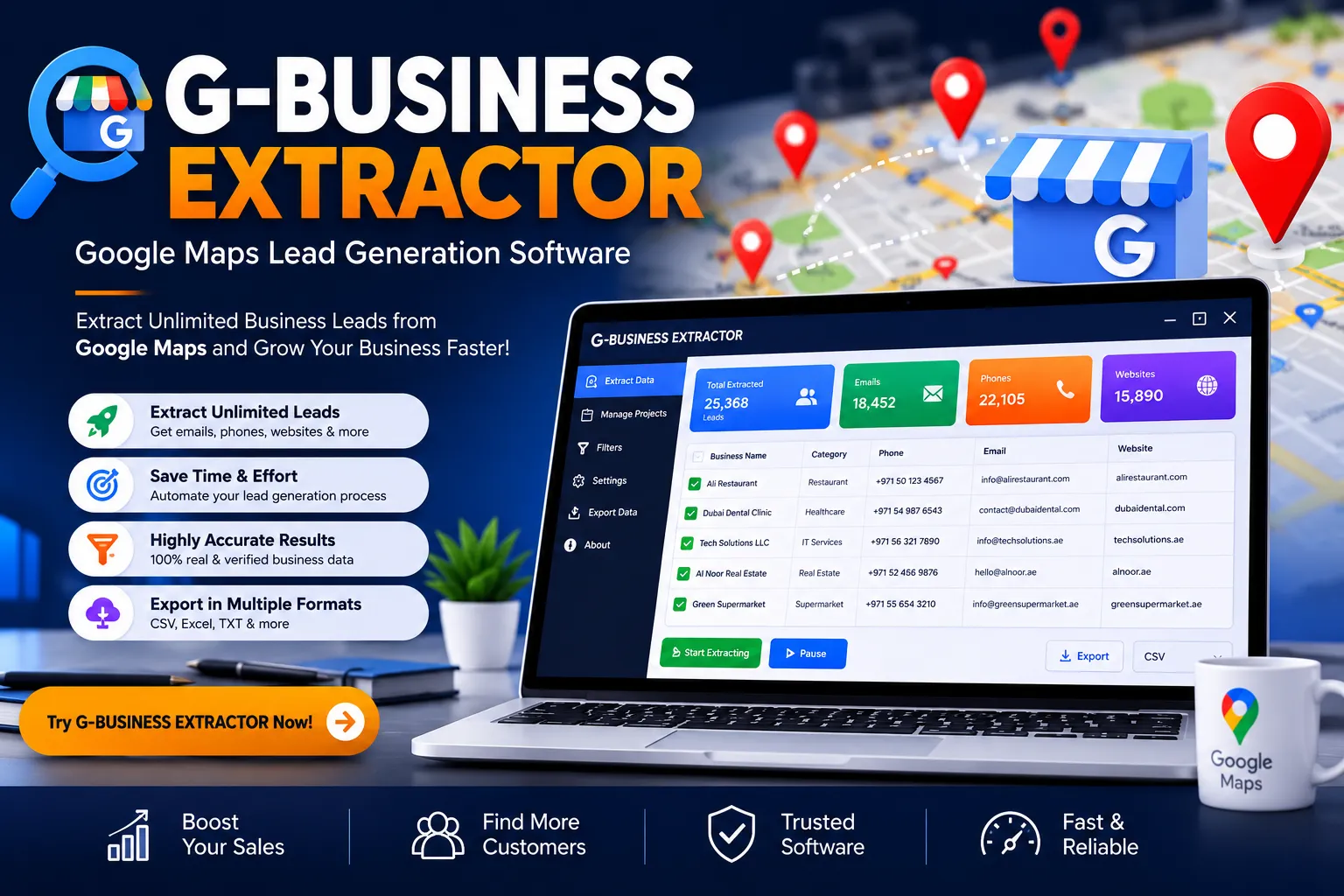
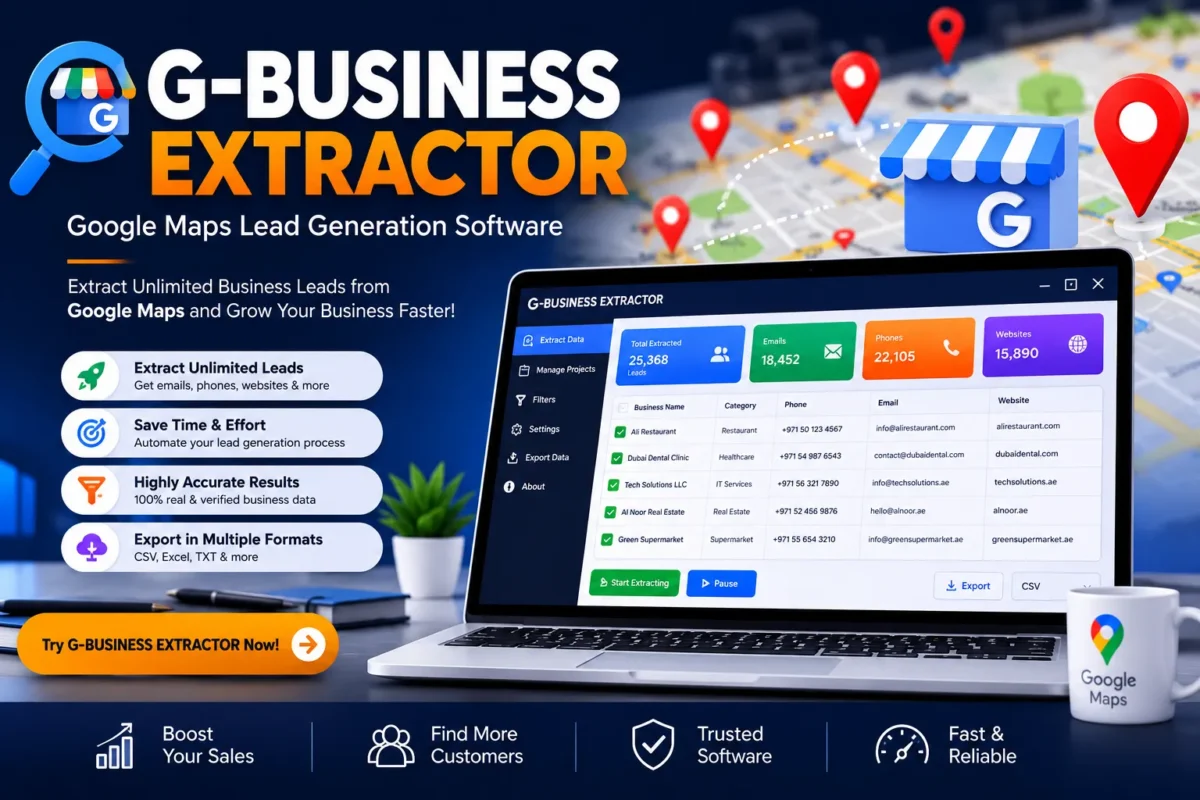
This is where G-BUSINESS EXTRACTOR from PSoftAKDMC helps.
It is a professional Google Maps Lead Generation Software designed to help marketers, agencies, freelancers, and businesses collect publicly available business information faster and organise it into ready-to-use files.
Instead of spending your entire day researching prospects manually, the software helps automate the boring part — the repetitive clicking, searching, and copying.
And honestly, that small change can completely transform a sales workflow.
What Is G-BUSINESS EXTRACTOR?
G-BUSINESS EXTRACTOR is a business lead generation tool that helps users collect information from Google Maps and Google Business Profiles based on specific keywords and locations.
Think of it like having a digital research assistant that works through thousands of business listings and organises important details into a structured database.
For example:
A marketing agency wants to find restaurants in Dubai that may need social media management services.
Instead of manually searching:
“Restaurants in Dubai”
Then opening every listing…
Then copying contact information…
The agency can use G-BUSINESS EXTRACTOR to search the category and location, collect available business details, and export the results.
A task that could take days can become much faster.
Why Google Maps Has Become a Powerful Lead Source
Google Maps is no longer just a navigation tool.
For many businesses, it has become a massive business directory.
Millions of companies use Google Business Profiles to display information such as:
- Business name
- Phone number
- Website
- Address
- Category
- Reviews
- Ratings
- Location details
For sales teams and marketers, this information creates valuable opportunities.
A local SEO agency can discover businesses with weak online visibility.
A web designer can find companies without modern websites.
A software company can identify potential customers in specific industries.
A freelancer can build targeted outreach lists.
The possibilities are wide.
The data is already there — the challenge is collecting and organising it efficiently.
How G-BUSINESS EXTRACTOR Helps Businesses
Modern businesses move quickly.
Waiting days to prepare a prospect list can mean missed opportunities.
G-BUSINESS EXTRACTOR helps simplify the process by allowing users to search based on:
- Industry
- Keyword
- Location
- Business category
The software is built for professionals who need structured business information without spending countless hours doing manual research.
Whether you are building an email campaign, preparing a sales pipeline, researching competitors, or finding potential clients, organised data gives you a stronger starting point.
A spreadsheet full of random contacts is not useful.
A targeted list of relevant businesses?
That is where the real value begins.
Who Is G-BUSINESS EXTRACTOR Designed For?
The software is useful for anyone who needs business information for legitimate marketing, research, or sales activities.
Digital Marketing Agencies
Marketing agencies constantly need new clients.
Finding businesses that need SEO, advertising, website design, or social media services can become easier with targeted business data.
Example:
A local SEO agency searches:
“Dental clinics in London”
The results can help identify potential businesses that may benefit from better online marketing.
SEO Professionals
SEO specialists often research local businesses before creating strategies.
They may analyse:
- Competitor presence
- Business categories
- Local markets
- Website availability
- Online visibility
G-BUSINESS EXTRACTOR helps speed up this research process.
Freelancers
Freelancers usually wear many hats.
One day they are designing websites.
The next day they are searching for clients.
Having an organised prospect database can save valuable time and make outreach more consistent.
Sales Teams
Sales teams need one thing above everything else:
More conversations with the right people.
A targeted business database helps sales professionals focus their efforts instead of randomly contacting companies.
Lead Generation Specialists
For professionals who build lead lists for clients, speed matters.
A manual research process can quickly become a bottleneck.
Automation removes much of that repetitive workload.
Powerful Features of G-BUSINESS EXTRACTOR
A good lead generation tool is not just about collecting numbers and names.
The real value comes from collecting useful, organised, and actionable business information.
G-BUSINESS EXTRACTOR focuses on helping users create practical business databases that can support marketing, sales, and research activities.
Let’s look at the main features.
Google Maps Business Extraction
The core feature of G-BUSINESS EXTRACTOR is its ability to collect business information from Google Maps based on specific searches.
Users can enter a keyword and location, then discover relevant businesses matching their requirements.
For example:
Keyword: “Real Estate Agency”
Location: Toronto, Canada
The software can help create a targeted list of real estate businesses in that market.
This is especially useful for agencies, consultants, and sales teams who need location-focused prospecting.
Google Business Profile Data Collection
Google Business Profiles contain valuable information about local companies.
G-BUSINESS EXTRACTOR helps organise publicly available business details such as:
- Business name
- Business category
- Address
- City
- State
- Country
- Postal code
- Phone number
- Website URL
- Ratings
- Reviews
- Location coordinates
Instead of opening hundreds of profiles manually, users can collect information in a more structured way.
Business Name Extraction
Knowing the company name is the first step in building a prospect list.
The software helps collect business names so users can quickly identify potential opportunities.
For example:
A software company looking for restaurant owners can search restaurant categories and create a list of businesses to research further.
Simple idea.
Big impact when done at scale.
Phone Number Extraction
Phone numbers remain one of the most important sales channels.
Many businesses still prefer direct conversations, especially local companies.
G-BUSINESS EXTRACTOR helps users collect available phone details from business listings, making it easier to organise calling campaigns or sales follow-ups.
Website URL Extraction
A business website can reveal a lot.
It helps marketers understand:
- Whether the company has an online presence
- Website quality
- Possible service opportunities
- Digital marketing needs
For example:
A web development agency can quickly identify businesses that have outdated websites or no website presence.
That information can become a potential sales opportunity.
Email Extraction (Where Publicly Available)
Finding email addresses manually can be frustrating.
Sometimes they are hidden inside websites or contact pages.
G-BUSINESS EXTRACTOR can help collect publicly available email information where available, supporting outreach and communication workflows.
However, email availability depends on what businesses publicly share online.
Not every company publishes an email address.
That is normal.
Category and Industry Filtering
Targeting the right audience matters.
A list of random businesses is usually not useful.
The software allows users to search specific categories, helping create more focused databases.
Examples:
- Restaurants
- Medical clinics
- Law firms
- Real estate companies
- Marketing agencies
- Educational institutes
- Hotels
- Automotive businesses
The more specific your search, the more valuable your results become.
Location-Based Lead Generation
Local businesses depend heavily on location.
A company selling services in New York does not necessarily need a list of businesses in another country.
G-BUSINESS EXTRACTOR helps users focus their research by targeting:
- Countries
- Cities
- Regions
- Postal codes
- Local markets
This makes it useful for local SEO campaigns and area-based marketing.
Bulk Data Extraction
Imagine manually collecting 1,000 business listings.
The thought alone is tiring.
Bulk extraction helps reduce repetitive tasks by collecting larger amounts of business information more efficiently.
This allows marketers to focus on what actually matters:
- Creating campaigns
- Contacting prospects
- Improving strategies
- Closing deals
Export Data to Excel and CSV
Raw data is only useful when you can work with it.
G-BUSINESS EXTRACTOR allows users to export collected information into popular formats such as:
These files can then be used for:
- CRM importing
- Sales tracking
- Email campaign preparation
- Reporting
- Internal research
Duplicate Management
Large datasets often create duplicate entries.
Duplicate information wastes time and can affect campaign performance.
The software helps users maintain cleaner databases by managing repeated results.
A clean list is always better than a bigger messy list.
User-Friendly Interface
Many lead generation tools are complicated.
They require technical knowledge, complicated setups, or developer support.
G-BUSINESS EXTRACTOR is designed with simplicity in mind.
Users can search, extract, review, and export data through an easy workflow.
Even beginners can understand the basic process quickly.
Benefits of Using G-BUSINESS EXTRACTOR
Save Hours of Manual Research
Time is one of the most valuable business resources.
Searching hundreds of businesses manually takes hours — sometimes days.
Automation helps reduce repetitive work and allows teams to focus on revenue-generating activities.
Build Targeted Business Databases
Successful marketing starts with relevant data.
A targeted list helps you reach the right audience instead of sending messages blindly.
For example:
A company selling restaurant management software can search restaurants in selected cities instead of contacting unrelated businesses.
Improve B2B Lead Generation
B2B sales depend on finding suitable prospects.
G-BUSINESS EXTRACTOR helps create organised business lists that can support:
- Sales campaigns
- Market research
- Outreach strategies
- Partnership opportunities
Support Cold Email Campaigns
Many businesses use email outreach to introduce their services.
A well-researched prospect list improves campaign quality.
Instead of sending generic messages to random companies, marketers can build more relevant campaigns.
Improve Local SEO Research
SEO professionals often need information about local businesses.
They may analyse:
- Competitor presence
- Business categories
- Market opportunities
- Local industries
The extracted data can support better research decisions.
Real-World Business Examples
Example 1: Digital Marketing Agency
A social media agency wants more clients.
They search:
“Restaurants in Manchester”
The agency creates a list of restaurants, reviews their online presence, and contacts businesses that may need marketing help.
Example 2: Web Design Freelancer
A freelancer wants to find businesses with outdated websites.
They search local companies, check website availability, and prepare personalised proposals.
Instead of guessing who needs their service, they work with better information.
Example 3: Software Company
A SaaS company wants to expand into new markets.
They research businesses in specific industries and locations to understand potential customers.
The software becomes a research assistant.
Not a magic button — but a powerful one.
Example 4: Local SEO Consultant
An SEO consultant wants to offer Google Business Profile optimisation services.
They identify local businesses with weak profiles and create a targeted outreach strategy.
Advantages of G-BUSINESS EXTRACTOR
Faster Research
Automates repetitive searching tasks.
Better Organisation
Creates structured business databases.
Flexible Searching
Works with different keywords and locations.
Useful Export Options
Supports common business formats.
Suitable for Multiple Industries
Works across different markets and niches.
Limitations to Understand
A professional tool should always be evaluated honestly.
G-BUSINESS EXTRACTOR is powerful, but users should understand a few points.
Data Availability Depends on Public Information
The software collects information that is publicly available.
Some businesses may not display:
- Website
- Email address
- Phone number
The availability of information depends on each business profile.
Results Need Human Review
Automation speeds up research, but human judgement still matters.
Before contacting businesses, users should review their data and create personalised communication.
Responsible Usage Matters
Business information should always be used responsibly.
Users should follow relevant marketing regulations, privacy requirements, and applicable platform guidelines when conducting outreach.